An efficient tool to synchronize Microsoft Outlook PST files across multiple computers.
Share Microsoft Outlook folders without Microsoft Exchange Server using ShareO.
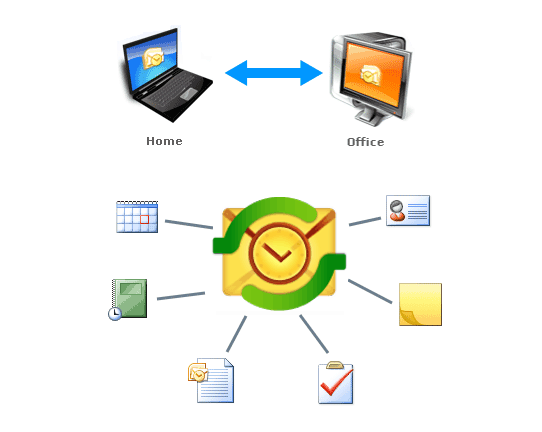
Share and sync all Microsoft® Outlook® folders between multiple PCs without Microsoft® Exchange® server. Synchronize and share Outlook Public or Personal folders, emails, calendars, tasks, notes and journal. Share documents and files with your coworkers, family and friends. Share and synchronize any folder automatically or manually. Use advanced privacy filters and manage user rights. Any changes made in the shared folder while offline will be automatically synchronized as soon as you are connected to the Internet or local network.
Download now and try ShareO for Outlook for Free
During 14-days free trial period you can use ShareO with no limitations.
Buy ShareO for just $34.95 per license.
Volume discounts available.
1 year of free updates and free customer support is included.
We offer No Risk 14 Days Money Back Guarantee. If you buy the program and are not satisfied, you will get your money back. Click here to learn more.
Contact us:
ShareO features include:
- Share Outlook folders without Exchange Server.
Share all Outlook folders and PST data. Share your Outlook Public or Personal folders, Windows documents and files with your coworkers, family and friends.
- Share multiple Outlook email folders.
Share your Outlook email folders, including Private and Public folders on multiple PCs. Share different email folders with various groups of people. Filters and advanced options will let you to exclude your private data (attachment, comments, private items, etc.) from being shared. Subscribe your contacts to receive automatic updates of shared Outlook email folder. Access shared email folders located on your other computer.
- Share Calendar folders.
Sync and share calendar folders, appointments and meetings in a few clicks. Share Microsoft Outlook Calendar events automatically or manually. Share custom Microsoft Outlook Calendar forms and imported items.
- Share Outlook Contacts.
Synchronize and share Outlook contacts automatically or manually. Share Contacts and distribution lists to improve customer relationship management.
- Share Outlook Tasks, Journal and Notes folders and subfolders.
Sync and share Outlook tasks, journal, notes etc. Even custom Outlook item properties will be shared. Regardless of offline or online Outlook mode the items will be synchronized or shared automatically.
- Share documents and files.
To share Windows documents and files drag and drop them into the shared Outlook folder. Share files and folders without server.
- Share Free/Busy information.
Share Free/Busy time with your coworkers and friends without disclosing the subject and private data. Use Outlook Appointment scheduling tab to view your colleagues' Free/Busy time to schedule Meetings and Appointments more effectively. Create group schedules.
- Share private appointments as blanks.
Share private appointments without disclosing the appointment subject and other private data, only showing the scheduled time.
- User rights management.
ShareO features advanced user rights management. You can set "Full access" rights for those who can modify shared content or choose "View only" option if users are not allowed to edit shared data.
- Advanced duplicate management.
Duplicate items will be merged automatically. No need to read complicated dialogs and compare items manually. In case if multiple duplicate conflicts are detected in the shared folders this folder will be backed up automatically.
- Easy access from Outlook toolbar.
Access ShareO from Outlook file menu and toolbar. ShareO actions and sharing Wizard are available from right click menu on Outlook folders and items.
- Compatible with latest Outlook 2010 and Windows 7
Synchronize and share folders between different Outlook versions, such as 2010, 2007, 2003, 2002, 2000. ShareO is compatible with latest Windows 7 (32 and 64-bit versions) and Outlook 2010 32-bit. Synchronize folders between Outlook 2010 in the office and Outlook 2003 at home.
System Requirements: Microsoft Outlook 2000/2002/2003/2007/2010
Testimonials:
"I love this stuff! Couldn't believe how easy it was to download and get started. We haven't had a single problem. It's the linchpin in effectively running our consulting company because now I can schedule meetings in one call without having to do the endless series of callbacks required to find available meeting times for our clients and ourselves. The price was very reasonable."
Tracy Downing, Account Partner, Stone Mantel, USA
Download now and try ShareO for Outlook for Free
ShareO is available on Microsoft Office Marketplace.