Share Outlook Contacts. Sync Contacts on Multiple PCs
Share Numerous Microsoft Outlook Contacts Folders
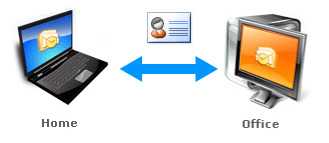
Sync and share Outlook Contacts folders and distribution lists in a few clicks. Synchronize Outlook Contacts between your desktop and laptop. Filters and advanced options will let you to exclude your private data (attachment, comments, notes, private items, etc.) from being shared. Regardless of offline or online Outlook mode the items will be synchronized or shared automatically.
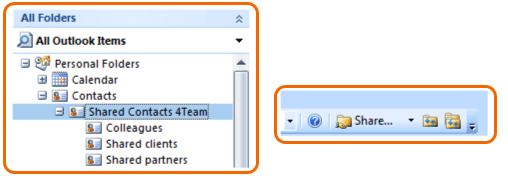
Share Outlook Contacts with Multiple Users
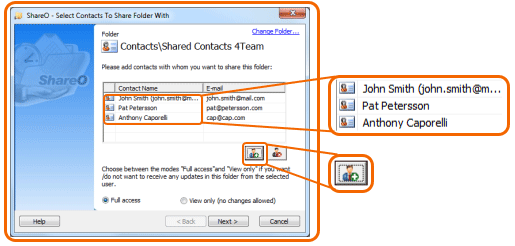
Synchronize and share Outlook contacts automatically or manually. Share different contact folders with various groups of people. Subscribe your contacts to receive automatic updates of your Outlook Contacts folder. Manage subscribers list and user rights. Share Contacts and distribution lists to improve customer relationship management.
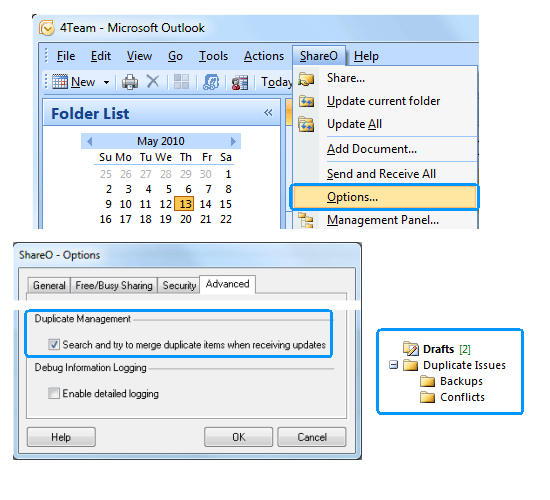
Advanced Duplicate Management. Detect and Merge Duplicate Items Automatically
Duplicate contacts will be merged automatically. No need to read complicated dialogs and compare items manually. Due to unique duplicate detection and merging algorithm no data will be lost. In case if multiple duplicate conflicts are detected in the shared contacts folder this folder will be backed up automatically.
Remove duplicate contacts automatically from Outlook, Gmail, iCloud
Try NEW Mergix. The advanced duplicate contact cleaner online will find and remove/merge all duplicated contacts across multiple email accounts (Outlook, iCloud and Google) and devices (PC, iPhone, Android or Mac). Simple semi - automated tool will save your time while organizing your contact lists: cleaning up duplicates, merging similar and removing junk contacts everywhere. Click here to learn more about Mergix.